

Contractors: QuickBooks Online vs Desktop 101


The Real Answer to QuickBooks Online vs. Desktop for Contractors
If you're wondering should contractors use QuickBooks Online or Desktop, here is the short answer:
It depends on how you run your jobs — but here's a quick guide:
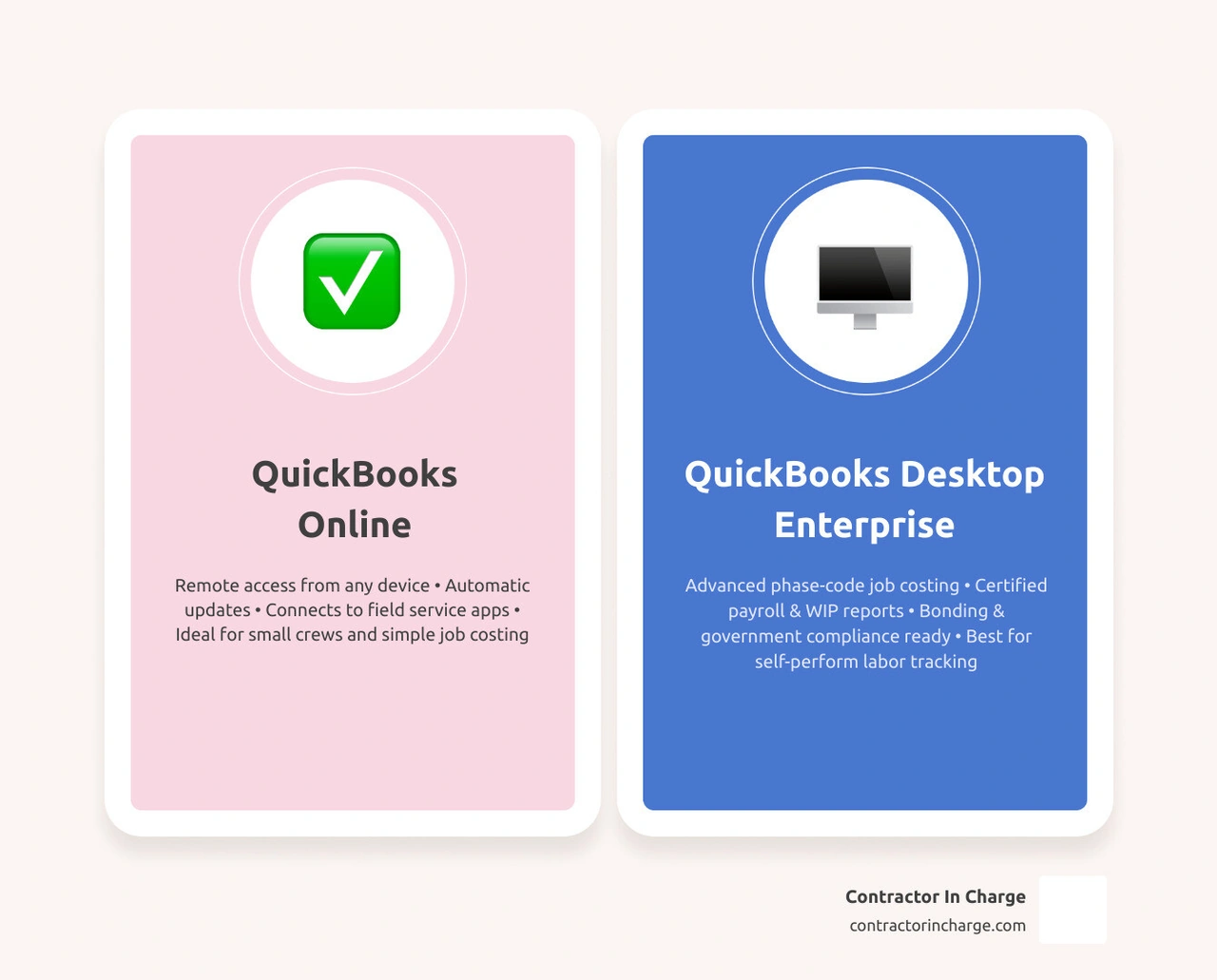
• Choose QuickBooks Online if you need remote access, run a small crew, use field service apps, and don't rely on detailed phase-code job costing or certified payroll.
• Choose QuickBooks Desktop (Enterprise) if you self-perform a lot of labor, need cost-code-level job tracking, run certified payroll, or require Work-in-Progress (WIP) reports for bonding.
• Consider Hosted QuickBooks Desktop if you want Desktop's advanced reporting but also need your team to access the books from the field or multiple locations.
The two platforms are not simply a "cloud vs. local" split. They handle core contractor needs — job costing, payroll allocation, reporting, and subcontractor management — in fundamentally different ways. Choosing the wrong one can mean missing the financial data your bonding company needs, losing visibility into job profitability, or paying for workarounds that never quite solve the problem.
Nearly 12% of all QuickBooks users come from the construction industry, making contractors the third-largest segment of the platform's customer base. That is a lot of trades businesses navigating this exact decision — and getting it wrong is costly.
I'm Anna Lynn Wise, CEO of Contractor In Charge, and after spending decades in the trades — including ownership and general management of a plumbing, HVAC, and remodeling company — I've seen how the wrong accounting setup stalls growth and squeezes margins. Helping contractors answer questions like should contractors use QuickBooks Online or Desktop is exactly the kind of operational and financial gap my team exists to close.
Should contractors use quickbooks online or desktop terms made easy:
• common quickbooks mistakes contractors make
• how does quickbooks work for home service businesses
• quickbooks online setup for contractors
Key Differences: Should Contractors Use QuickBooks Online or Desktop?
When we evaluate whether to implement QuickBooks Online (QBO) or QuickBooks Desktop (QBD) for our home service businesses, we have to look past the marketing hype. Intuit heavily promotes its cloud-based solution, but the physical reality of running an HVAC, plumbing, or electrical company means our accounting software must align with how we actually execute projects in the field.
At its core, QuickBooks Online is a cloud-native platform designed for modern, highly connected workflows. It is built to integrate with third-party software, automate bank feeds, and provide real-time financial visibility from any device with an internet connection. On the other hand, QuickBooks Desktop is a traditional, robust database application that runs locally on a computer or server. It excels at heavy-duty data processing, complex job costing, and highly customized, industry-specific reporting.
To help you visualize how these two platforms stack up across key operational areas, we have mapped out their primary differences:
For a deeper dive into how these general systems function for tradespeople, you can read our guide on How Does QuickBooks Work for Home Service Businesses.
When should contractors use quickbooks online or desktop for Remote Access?
One of the most significant operational hurdles for home service contractors is keeping the field and the back office on the exact same page. When your technicians are finishing service calls, you want that financial data reflected instantly.
QuickBooks Online wins the native remote access battle hands down. Because it lives entirely in the cloud, any team member with authorized credentials can log in from a tablet, smartphone, or laptop on-site. This makes real-time cloud collaboration seamless; your office manager, field supervisor, and external bookkeeper can all work in the file simultaneously without getting locked out.
QuickBooks Desktop, by default, is locked to the physical computer where it is installed. However, contractors who need Desktop's advanced reporting but still require remote access have a highly viable third option: Hosted QuickBooks Desktop. By utilizing an authorized third-party hosting provider, we can run our Desktop software on a secure cloud server. This gives us the exact same feature-rich desktop experience, but accessible via an internet connection from any location.
If you are currently on Desktop and realize the cloud is a better fit for your simplified workflow, we can help you navigate this transition smoothly through our specialized QuickBooks Desktop to Online Conversions services.
Why should contractors use quickbooks online or desktop for Modern Workflows?
Modern workflows rely on automation to reduce administrative overhead, minimize human error, and help us secure more service appointments. QuickBooks Online is built around this automation-first philosophy. It features automatic software updates, meaning we never have to worry about manual installations or database upgrades. It also utilizes built-in machine learning tools, like Intuit Assist, which can automatically categorize up to 70% to 80% of routine transactions, flag anomalies, and generate plain-English reports for business owners.
Multi-user access is also highly scalable in QBO. Depending on the plan, we can have up to 25 concurrent users working in the system without purchasing individual software licenses for each computer.
Conversely, QuickBooks Desktop relies on manual software updates and annual subscription renewals. While Desktop Enterprise supports up to 40 users, adding users requires purchasing additional, often expensive, user licenses. Furthermore, because Intuit focuses its primary development efforts on the cloud, many of the newest automated features and direct software integrations launch on QBO first—and many never make it to Desktop at all.
To set up your cloud-based system correctly from day one, check out our step-by-step walkthrough on QuickBooks Online Setup for Contractors.
Job Tracking, Payroll, and Reporting Capabilities
For home service contractors, understanding exactly where our money is going on every single job is the difference between a thriving business and a failing one. If we cannot track our labor, materials, and overhead down to the individual project, we are essentially guessing our profitability.
This is where the divide between QBO and QBD becomes highly apparent. While QBO has introduced robust project tracking tools in its higher-tier plans, QBD remains the undisputed heavy-weight for detailed, bottom-up construction accounting.
For a specialized look at managing these books for comfort-service providers, see our article on Bookkeeping for HVAC Companies.
Detailed Job Tracking and Phase-Code Tracking
QuickBooks Desktop Enterprise features a dedicated "Contractor Edition" that includes specialized tools for deep job costing. It allows us to track costs at the cost-code or phase-code level. This means we can break a single project down into sub-phases—such as rough-in plumbing, fixture installation, and final trim—and track our actual expenses against our original estimates for each individual phase.
Desktop also automatically generates highly sophisticated reports that bonding companies and commercial clients require, including:
• Estimate vs. Actual Summary Reports: Showing exactly where we overspent or underspent.
• Job WIP (Work-in-Progress) Reports: Calculating earned revenue versus billings to maintain accurate balance sheets.
• Detailed Job Cost by Vendor: Showing exactly which suppliers or subcontractors are impacting our margins.
QuickBooks Online (specifically on the Plus and Advanced plans) features a visual "Projects" dashboard. It provides a clean, user-friendly interface to track project income, expenses, and overall profit margins. However, QBO lacks native, deep phase-code tracking and does not generate built-in WIP or Estimate vs. Actual summary reports. To achieve this level of detail in QBO, we must rely on manual workarounds, complex class tracking structures, or third-party project management integrations.
Setting up these tracking systems incorrectly can lead to major headaches. Learn how to protect your business by reading our QuickBooks Mistakes Contractors Guide 2026.
Managing Payroll and Workers' Compensation
If your business self-performs a significant amount of labor, payroll allocation is a massive factor in your software decision.
QuickBooks Desktop has an incredibly robust, integrated payroll engine. When your field technicians enter their hours on a timesheet, Desktop automatically populates that data into the payroll system. More importantly, it can allocate those exact labor hours—along with corresponding payroll taxes, workers' compensation insurance, and general liability costs—directly to specific jobs and cost codes. This gives us a true, fully burdened labor cost for every project. Desktop also easily handles complex payroll needs, such as union wages, multiple pay rates for a single employee, and certified payroll reports for government contracts.
QuickBooks Online Payroll, while highly convenient for standard payroll processing, has limitations when it comes to job costing. By default, QBO struggles to break down payroll costs into multiple cost codes or automatically allocate employer payroll taxes and workers' comp insurance to individual projects. If you have a complex labor structure, using QBO often means your accounting team must perform manual journal entries at the end of every payroll cycle to get accurate job cost reports.
Field Service Management and Third-Party Integrations
For modern residential contractors, the accounting software is only one piece of the puzzle. To run an efficient operation, we must connect our financial books with our field operations—including scheduling, dispatching, invoicing, and payment processing. This is where the integration ecosystem becomes critical.
To understand the core concepts of linking these systems, we recommend reading QuickBooks and Field Service Software Integration Basics.
Connecting Accounting with Field Operations
Because QuickBooks Online is built on an open Application Programming Interface (API), it integrates seamlessly with over 700 third-party applications. This includes the industry-leading Field Service Management (FSM) platforms that our HVAC, plumbing, and electrical teams use every day to manage their schedules and dispatch technicians.
When we connect QBO to a modern FSM tool, we create a highly efficient, bidirectional flow of data:
• Customer Details: When a new customer calls, our dispatch team enters their information into the FSM. This instantly syncs and creates a customer profile in QBO.
• Invoices and Payments: When a technician completes a service call in the field, they generate an invoice and swipe the customer's credit card on their tablet. That invoice and payment automatically sync to QBO, reconciling the transaction without any manual data entry from our office staff.
• Inventory and Materials: Specific parts used on the job are tracked and updated across both systems.
While QuickBooks Desktop also integrates with many FSM tools, the sync process is often less fluid. Desktop integrations typically rely on a "Web Connector"—a utility program that must run manually or on a scheduled timer to push and pull data between the cloud-based FSM and the local Desktop database. This can lead to sync delays, database conflicts, or occasional connection drops if the host computer is turned off or loses internet access.
For a smooth setup, review our Accounting and FSM Integration Best Practices for Contractors.
Streamlining Workflows to Book More Jobs
The ultimate goal of connecting our field operations with our accounting system is to streamline our workflows so we can book more jobs and deliver exceptional customer service.
When our systems are fully integrated, our office team does not waste time chasing down paper invoices or manually re-keying credit card payments. This administrative freedom allows us to focus on what matters most: answering the phone on the first ring, scheduling appointments promptly, and keeping technicians dispatched efficiently.
Furthermore, having real-time financial data at our fingertips allows us to see which types of service calls are most profitable. We can analyze our margins across different service lines—such as residential AC change-outs versus routine drain cleanings—and adjust our marketing and booking strategies to target the highest-value jobs.
Discover how these integrated workflows directly impact your bottom line in our article on the Benefits of Integrated Accounting for Service Businesses.
Frequently Asked Questions about QuickBooks for Contractors
Navigating the transition between accounting platforms can bring up a lot of questions. Here are the most common queries we hear from home service professionals:
Is QuickBooks Desktop being phased out for contractors?
This is a common point of confusion. Intuit has indeed phased out QuickBooks Desktop Pro and Premier for new customers, focusing its sales efforts almost entirely on QuickBooks Online. However, QuickBooks Desktop Enterprise remains fully available, supported, and actively updated by Intuit.
For large contracting firms, heavy commercial builders, or businesses that depend on advanced inventory and deep job costing, Desktop Enterprise is still a highly supported and powerful platform. However, connected services for older, non-subscription desktop versions (such as the 2023 standalone versions) have been discontinued, meaning users must upgrade to the current subscription-based Desktop model to maintain payroll, bank feeds, and security updates.
Can QuickBooks Online meet bonding and government contracting requirements?
Yes, but it requires significantly more manual effort and external support.
To qualify for commercial performance bonds or meet DCAA (Defense Contract Audit Agency) compliance for government contracts, contractors must produce reconciled balance sheets, income statements, and highly detailed Work-in-Progress (WIP) reports. Because QuickBooks Online lacks native, automated WIP reporting and has limitations in fully burdened labor distribution, meeting these strict auditing standards on QBO usually requires pairing the software with advanced construction-specific project management tools or relying on a specialized construction CPA to compile these reports manually.
QuickBooks Desktop, with its built-in Contractor Edition reports, is natively much better equipped to handle these heavy compliance and bonding requirements out of the box.
What are the limitations of QuickBooks Online for subcontractor management?
While QBO is excellent for general expense tracking, it has a few native limitations when managing subcontractors on larger projects:
• Purchase Order Isolation: In QBO, purchase orders exist somewhat in isolation. They do not automatically link to and update a project's committed cost budget, making it harder to see real-time budget variances mid-project.
• Change Order Management: QBO does not have a native, automated workflow for tracking change orders against an original estimate. Contractors must manually adjust the original estimate or create separate, manual invoices to track changes.
• Subcontractor Compliance: Tracking subcontractor insurance certificates, lien waivers, and W-9 compliance is not natively built into QBO's vendor management, requiring external tracking or third-party app integrations.
Conclusion
Deciding whether to use QuickBooks Online or QuickBooks Desktop is not a decision to make lightly. It shapes how you manage your field staff, track your project profitability, and ultimately, how you scale your business.
If your home service company focuses primarily on high-volume residential service calls, relies on field dispatch apps, and values seamless, real-time cloud collaboration, QuickBooks Online paired with the right integrations is an incredibly powerful hub. If your business handles complex commercial projects, self-performs heavy labor, or requires detailed phase-code job costing for bonding, QuickBooks Desktop (or a hosted Desktop solution) remains the industry standard.
But here is the reality: you do not have to figure this out alone.
At Contractor In Charge, we specialize in helping HVAC, plumbing, and electrical contractors take control of their back office. We provide outsourced, 24/7 call answering, booking, dispatch, and professional bookkeeping services tailored specifically to the trades. Whether you need help setting up your cloud accounting, managing your daily bank reconciliations, or ensuring your field service software syncs perfectly with your books, our dedicated team is here to help you eliminate administrative stress so you can focus on booking more jobs and growing your business.
Ready to streamline your financial operations? Explore our professional QuickBooks Online Services today, or reach out to us to learn more about our comprehensive Accounting Bookkeeping Fractional CFO Services. We are proud to serve hard-working contractors throughout the USA. Let's get your books working for you!