

The Contractor’s Toolkit: Top API Integration Solutions Explained


Why Modern Contractors Are Turning to API Integration Tools
API integration contractor tools are platforms that connect your different business systems—like scheduling, CRM, and accounting—so they can automatically share data. These tools act as digital bridges, eliminating data silos and streamlining your operations without manual entry.
Quick Answer: Top API Integration Solutions for Contractors
- iPaaS Platforms (like Workato, Boomi) – No-code solutions with pre-built connectors for common software
- Unified Construction APIs (like Agave) – Industry-specific tools that sync field and finance data across project management and ERP systems
- Open APIs (from Procore, ServiceTitan, QuickBooks) – Direct connections built into your existing software platforms
- Key Benefits – Save 20-30 hours monthly, eliminate manual data entry, get real-time project financials, automate invoicing and procurement
If you’ve ever entered the same customer information into three different systems or waited days for accurate job costing reports, you’ve felt the pain of disconnected software. When systems don’t talk, you’re stuck with double data entry, errors, and decisions based on outdated information. Manual data entry costs your business time and money, but automation can save over a third of users 20-30 hours every month.
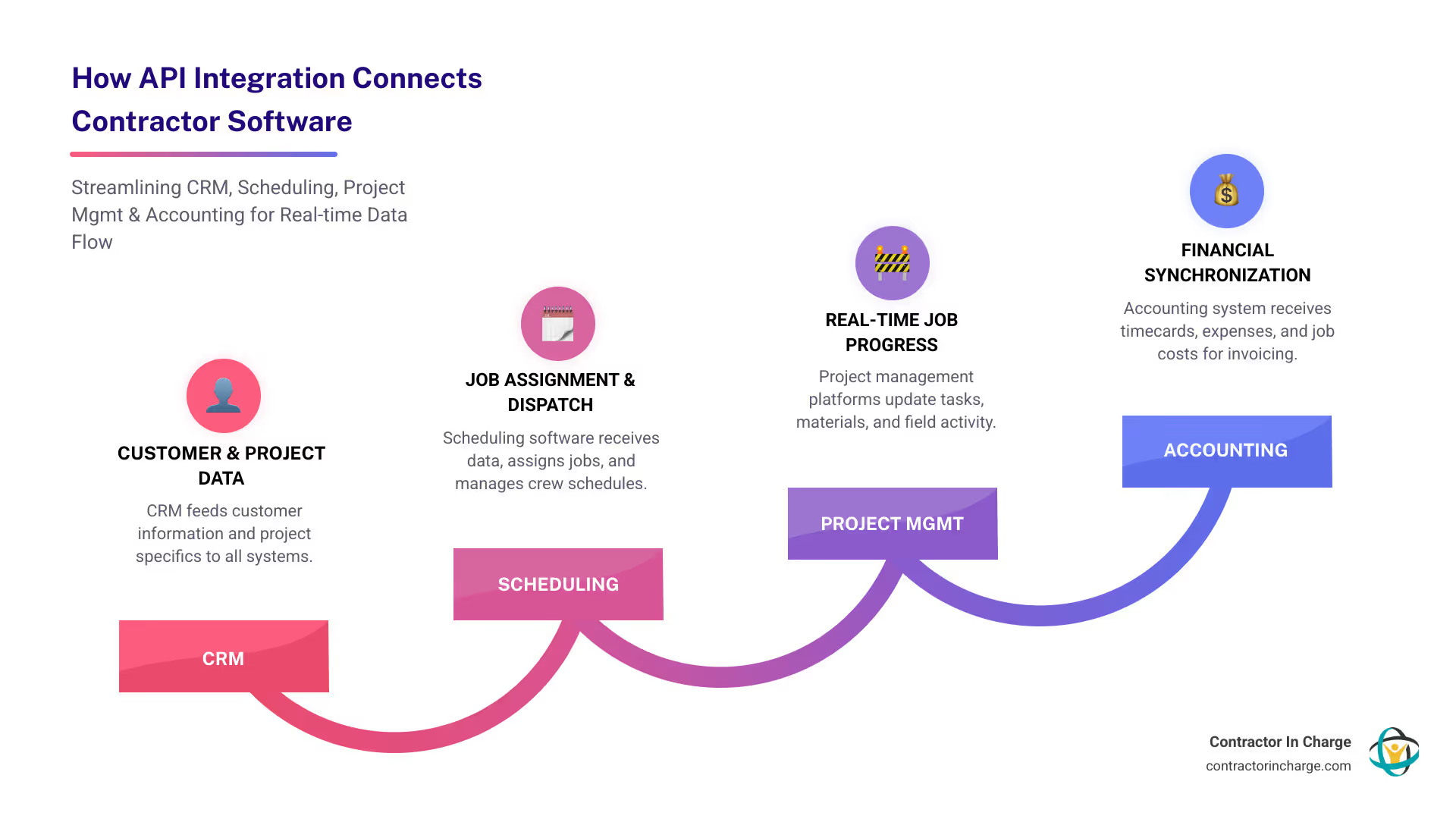
API integration tools solve this by creating automatic connections that allow your scheduling software to speak to your accounting system, your CRM to update your project platform, and your field crews to sync data with the back office in real time.
The construction industry is now rapidly adopting these technologies. Contractors are syncing millions of records daily—expenses, job costs, timecards—to get cleaner books, better margins, and teams focused on work instead of paperwork.
I’m Anna Lynn Wise, CEO of Contractor In Charge. After decades in the trades, I’ve seen how disconnected systems create chaos. Today, I help contractors implement api integration contractor tools to bridge the gap between field and finance, allowing owners to focus on growth.
Understanding API Integration for Contractors
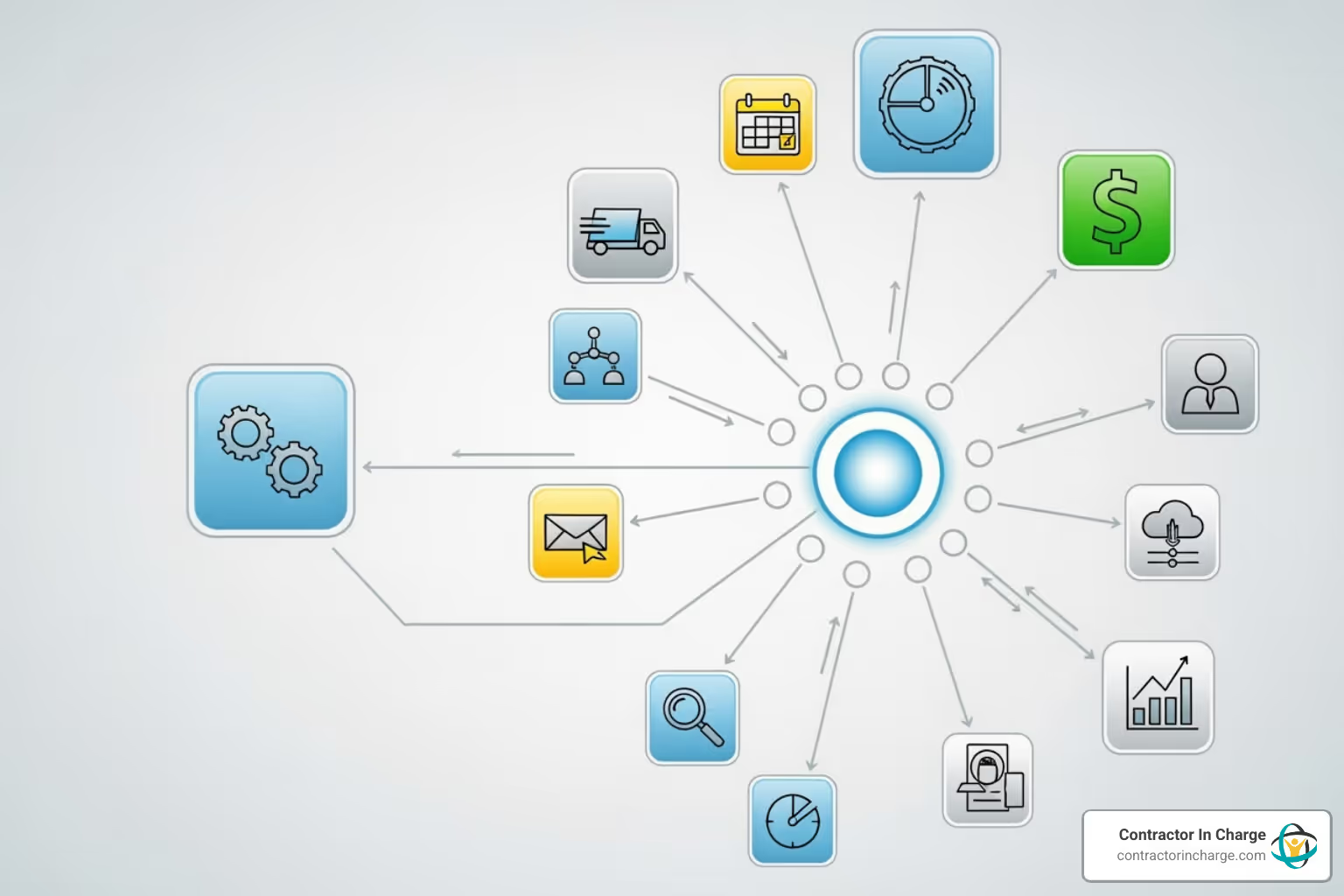
An API (Application Programming Interface) is a set of rules that lets different software programs talk to each other. Think of it as a digital translator. If your project management software speaks English and your accounting system speaks French, the API is the interpreter ensuring that when a project manager logs an expense, the accounting system understands and records it correctly.
This automatic communication is called data synchronization. Instead of manually typing the same information into multiple systems (and making mistakes), api integration contractor tools handle it for you. Data is entered once and flows everywhere it needs to go. This breaks down frustrating data silos—isolated pockets of information trapped in different systems—giving you a unified view of your business. This is how we use technology to make our lives easier.
What is the Difference Between an API and Direct Integration?
The distinction between API and direct integration is important when choosing tools.
An API integration uses the “official channels” that software companies build for connecting with other systems. It’s like a universal adapter—flexible, scalable, and generally unaffected by software updates.
A direct integration is a custom, point-to-point connection built between two specific pieces of software. While effective for its designed purpose, it carries a heavy maintenance burden. If either software updates, the custom integration can break, requiring a complete rebuild. For contractors, API integration offers far better scalability and flexibility, allowing you to add or swap tools without rebuilding your entire system.
What Types of Contractor Software Can Be Integrated?
The power of api integration contractor tools is clear when you see how many daily systems can be connected. Any software that supports API connections can join your integrated ecosystem.
For example, your project management software (like Procore) can share progress updates with your accounting system (like QuickBooks), giving you real-time financial tracking. Your CRM can automatically create a job in your scheduling software when a lead becomes a customer. If you need help with CRM scheduling, our approach might be useful.
Furthermore, bidding platforms can send winning estimates to your project management system, while procurement tools can generate purchase orders that update project tracking and inventory. Even equipment tracking and asset management systems can connect GPS data with maintenance schedules. The goal is to create a cohesive ecosystem where critical data flows naturally, eliminating the double-entry that consumes your day and creates errors.
The Game-Changing Benefits of API Integration for Contractors
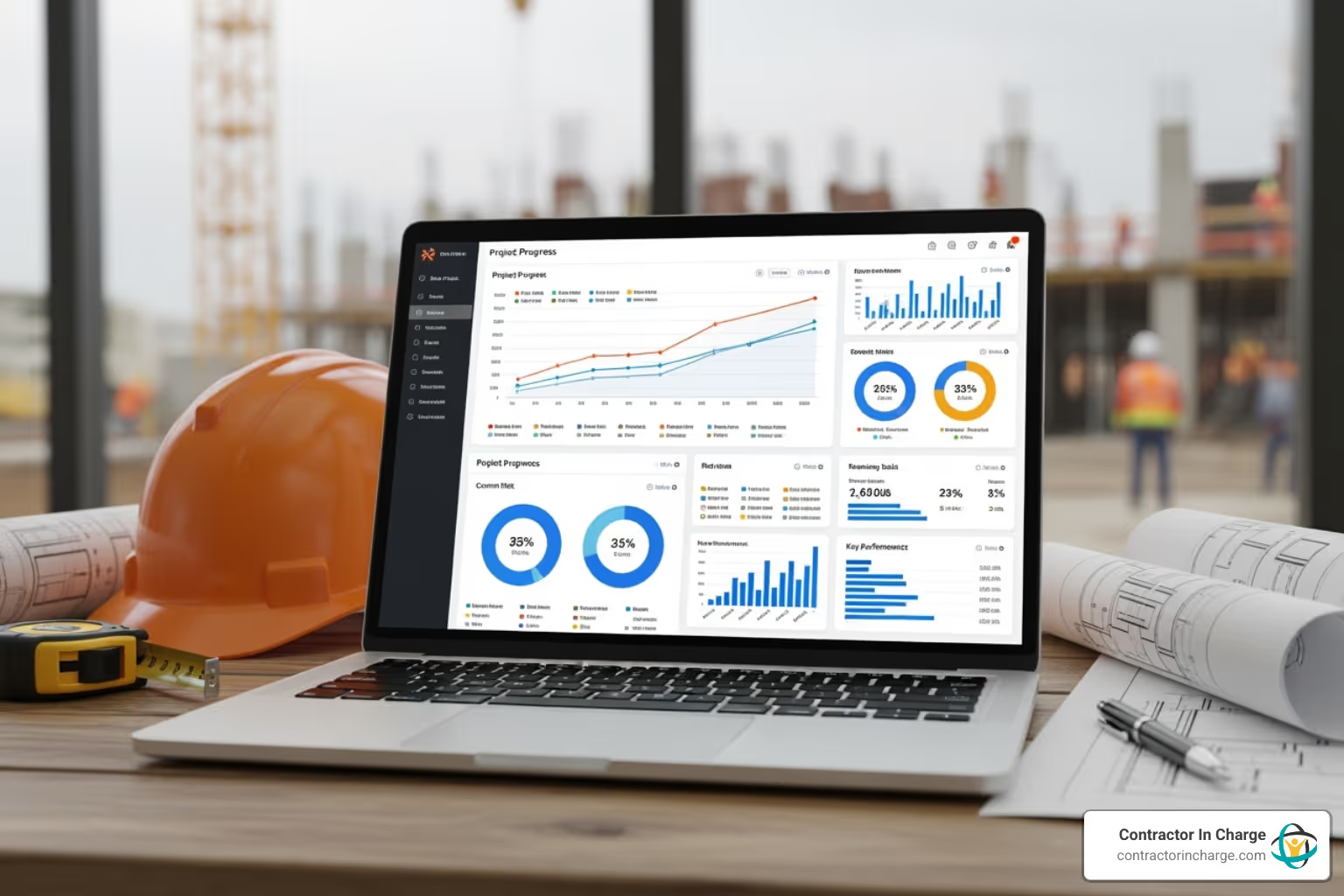
Implementing API integration contractor tools transforms how your operation runs. The most obvious change is eliminating redundant data entry, but the real magic is the disappearance of manual errors that cause invoicing mistakes and budget overruns. Your data becomes accurate because it’s entered once and flows automatically.
This creates a “single source of truth,” where everyone in your company views the same information. The resulting efficiency is remarkable, as teams stop wasting time reconciling conflicting data. When field crews update a job status, the office sees it instantly, fundamentally improving how your operations run. Real-time reporting allows you to manage proactively, spotting problems and opportunities early, which drives real business growth.
Automate Key Workflows and Save Time
The workflow automation enabled by api integration contractor tools is transformative. For example, when you win a bid, all project details, budget allocations, and material lists can transfer instantly to your project management and accounting systems. Procurement becomes automated, with purchase orders generated based on project needs.
Invoicing and payroll also become effortless. Timecard data from the field flows straight into payroll, and completed project milestones can automatically trigger client invoices. Over a third of users report saving 20 to 30 hours every month by automating these processes. That’s nearly a full work week back in your pocket.
Improve Equipment and Asset Management
Poor asset management is costly. Real-time equipment tracking through API integration changes everything. GPS trackers connect to your asset management software, so you always know where your equipment is.
Maintenance scheduling also becomes proactive. Your equipment can track its own usage and automatically trigger maintenance alerts, preventing expensive mid-project breakdowns. Utilization monitoring helps you understand which equipment is earning its keep, improving resource allocation and purchasing decisions. Even fuel consumption can be tracked and optimized. The reduced equipment loss alone can pay for your investment, but the real value comes from turning your assets into a competitive advantage with modern api integration contractor tools.
Exploring the Main Types of API Integration Contractor Tools
Now that we understand the value of API integration contractor tools, let’s explore the different types available. There’s a solution for every skill level and business need. You don’t need to be a developer to benefit from modern integration software, but understanding these categories will help you choose the right path. For the technically curious, you can Learn more about the OpenAPI Specification.
Integration Platforms as a Service (iPaaS)
Think of iPaaS platforms as the “easy button” for connecting systems. These cloud-based services are designed to help you build and manage integrations without deep technical knowledge. Their popularity stems from their no-code or low-code interfaces, which use visual tools like drag-and-drop builders instead of programming code.
Most iPaaS platforms come with pre-built connectors for common business applications like QuickBooks or your CRM, saving countless hours. Their visual workflow builders let you map out how data flows between systems. As cloud services, they are also highly scalable, growing with your business. For contractors without dedicated IT staff, platforms like Workato, Boomi, and Integrate.io are a lifesaver, with some users saving 20-30 hours monthly by automating data transfers.
Unified API Platforms for Construction
The construction industry has unique workflows, and unified API platforms specifically for construction are built to address them. These industry-specific solutions speak our language, understanding concepts like “job cost” and “change order” out of the box.
Instead of connecting to five different systems individually, a unified API provides a single connection point that manages all underlying integrations, simplifying setup and maintenance. They also provide standardized data models, normalizing data across different software (e.g., “project” vs. “job”) so everything maps correctly.
A standout example is Agave, which provides a unified API for connecting project management systems and ERP/accounting systems. It syncs records like expenses and timecards between tools like Procore and QuickBooks, allowing field and office teams to work in their preferred apps while data flows seamlessly. You can explore more at Agave: Construction Integration Platform and check their security measures and system status.
Open APIs from Your Core Software
Many software platforms you already use likely offer their own open APIs, which are instructions on how other applications can connect to their system. These APIs provide tremendous extensibility, allowing you to expand your software’s capabilities or build custom connections for your unique workflows.
For instance, Procore offers extensive API capabilities through Procore Connect, leading to over 500 integrations on their marketplace. This allows you to connect Procore with specialized tools for document management, scheduling, or accounting. These marketplace apps are valuable pre-built solutions that save you from reinventing the wheel. When selecting software like a CRM scheduling software, choosing one with a robust open API gives you more flexibility for future integrations.
Implementing API Integration: A Contractor’s Roadmap

Starting your API integration journey is manageable with a step-by-step approach. A solid strategy is invaluable.
First, use strategic planning to identify which systems need to connect and what business processes you want to automate. This clarity will guide your decisions. Next is tool selection, choosing the right api integration contractor tools—iPaaS, unified API, or open APIs—based on your needs.
We recommend a phased rollout. Start with a smaller, less critical integration to learn the ropes before tackling major connections. Thorough testing is non-negotiable to ensure data moves accurately and workflows execute as planned. Finally, plan for ongoing maintenance and monitoring, as software updates and evolving business needs require regular attention.
How to Choose the Right API Integration Contractor Tools
Choosing the right tools is a critical decision. Here’s what matters most:
- Business Needs Analysis: Start by identifying your top 3-5 pain points. A tool is only right if it solves your specific problems.
- Scalability: Will the solution grow with your business over the next three years, or will you outgrow it? Cloud-based platforms often scale more easily.
- Total Cost of Ownership: Look beyond the sticker price. Factor in subscriptions, development, training, and maintenance.
- Ease of Use: Unless you have dedicated IT staff, choose a user-friendly solution with a no-code or low-code interface that your existing team can manage.
- Vendor Support: Check for responsive customer support (live chat, phone) and an active user community. These resources are lifesavers when you hit a snag.
- Security Features: This is non-negotiable. Ensure the platform offers data encryption, secure authentication, and access controls. Ask detailed questions about their security practices. Our contractor resources can help you evaluate these factors.
Key Security Considerations
When connecting systems with api integration contractor tools, you’re creating highways for sensitive data. Protection is paramount.
- Data Encryption: Information should be encrypted both in transit (while moving) and at rest (while stored) using standards like TLS/SSL.
- Authentication Protocols: Use secure methods like OAuth 2.0 to verify that only authorized applications can access your systems.
- Access Controls: Follow the principle of least privilege. An integration should only have access to the data it absolutely needs.
- API Keys and Tokens: Treat these like keys to your building. Store them securely, rotate them regularly, and revoke access when no longer needed.
- Regular Security Audits: Periodically review your integrations for vulnerabilities and to ensure compliance with security policies.
Overcoming Common Challenges and Limitations
Implementing api integration contractor tools can have predictable challenges.
- Legacy System Integration: Older software can be stubborn. Specialized hybrid integration platforms can act as translators between old and new systems, allowing for gradual modernization.
- Data Mapping Complexity: Different systems use different names for the same data (e.g., “job” vs. “project”). Careful planning and documentation are necessary to map these fields correctly.
- Ongoing Maintenance: APIs evolve, which can break integrations. Budget for periodic updates and testing, just like vehicle maintenance.
- Finding Skilled Developers: API expertise is in high demand. If you need custom work, start your search early or consider no-code iPaaS platforms to reduce dependency on developers.
- API Limitations: Most APIs have rate limits (caps on requests) or restrictions on data access. Read the terms and conditions to design integrations that work within these rules.
Frequently Asked Questions about API Integration
How long does API integration take?
The timeline for implementing api integration contractor tools depends entirely on complexity. A simple integration connecting two cloud apps with a pre-built connector might take just a few days. Some no-code platforms can shorten time to market by an average of 18 weeks compared to custom coding.
However, a complex project involving multiple systems, legacy software, or custom workflows could take several weeks or even months. This includes planning, development, testing, and deployment. The type of tool you choose also matters; pre-built connectors and unified APIs are much faster than building from scratch.
Can API integration tools connect to older, legacy systems?
Yes, and this is a key benefit of modern api integration contractor tools. Many contractors rely on trusted legacy software and don’t want to replace it. You don’t have to.
Specialized integration platforms can bridge the gap between old on-premise systems and new cloud applications. They use an “API abstraction layer” that acts as a translator, allowing them to communicate. This approach enables gradual modernization, letting you add new digital capabilities without disrupting daily operations. You can update your tech stack at your own pace, one integration at a time.
What is the role of AI in API integration?
Artificial Intelligence is making api integration contractor tools smarter and more efficient in practical ways.
AI helps with intelligent data mapping by learning patterns and suggesting how to connect fields between different systems. It also excels at anomaly detection, monitoring data flows in real-time to spot unusual patterns or potential issues before they become major problems. By analyzing API performance, AI can even offer predictive analytics to prevent bottlenecks.
We’re also seeing AI improve workflow automation. For example, an AI-powered system can optimize dispatch schedules by analyzing integrated data on traffic, technician availability, and job urgency. This is what we’re implementing with AI-powered dispatching and scheduling for home service contractors. As AI matures, it will make integrations more intelligent and self-optimizing.
Conclusion: Build a More Connected Contracting Business
The key takeaway is this: API integration contractor tools are not a futuristic concept but a practical solution available to transform your contracting business today.
Imagine a business where data flows automatically between your scheduling, accounting, and field software. The benefits—saving 20-30 hours monthly, eliminating costly errors, and gaining real-time financial insight—add up to a fundamental shift in how you run your contracting business. You move from putting out fires to steering the ship with confidence.
The technology is only getting better, with more accessible no-code platforms and AI-driven intelligence making it easier than ever to future-proof your business.
But technology is just one piece of the puzzle. It works best when supported by solid operational systems. As you streamline your data flows, let a dedicated partner like Contractor In Charge handle your call answering, dispatch, and bookkeeping. We combine smart technology with the old-fashioned customer care needed to ensure your operations run as smoothly as your data.
You’ve learned about the tools. Now it’s time to take action. Start small, see the difference, and let us handle the operational backbone that supports your growth.
Learn how to streamline your dispatch operations with Contractor In Charge today!